How to create a VTuber model, six ways compared
How to create a VTuber model in 2026, six ways compared with costs, time and skills: free tools, Live2D, pre-made models, hiring an artist, and AI.
The short answer
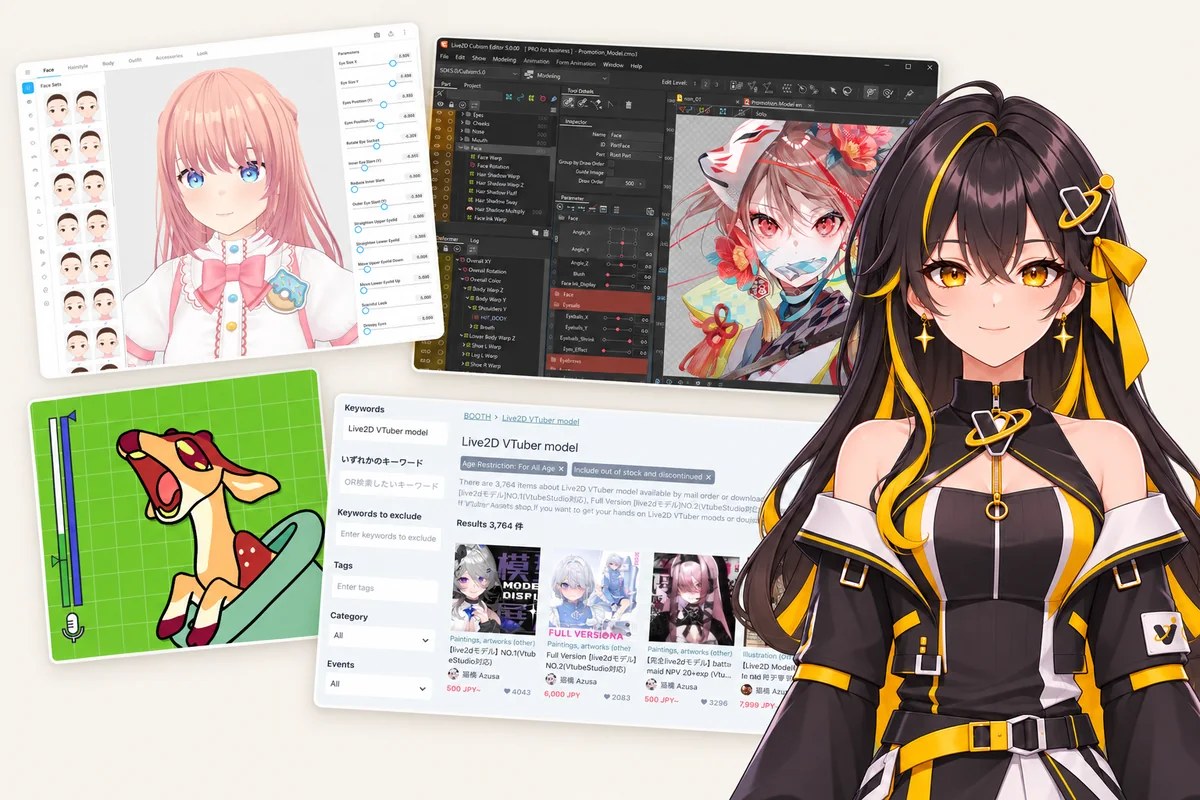
There are six main ways to create a VTuber model. PNGTuber apps and VRoid Studio are free but limited. Drawing and rigging a Live2D model yourself takes weeks. A pre-made model is cheap but isn't your own character. Hiring an artist costs $500–$3,000+ and takes weeks. An AI VTuber maker like Vtubify turns one picture of your character into a rigged model in about 30 minutes.
Creating a VTuber model used to mean one thing: find an artist, find a rigger, pay, and wait. In 2026 you have more choices, from free apps to AI tools. They differ a lot in cost, time, how much skill they ask of you, and what you end up with.
This guide compares the six common ways, with honest pros and cons for each, including our own tool. Prices and limits were checked against the official pages in November 2026 (sources at the end).
What a VTuber model is
A VTuber model has three parts, and every option below handles them differently:
- The art. For a 2D model, the character is drawn in layers: hair in front, hair behind, each eye, each eyebrow, the mouth, face, neck, body. The parts hidden behind others (the forehead under the bangs, the neck under the hair) must be drawn too, or holes show when the model moves.
- The rig. The rig is what makes those layers move: blinking, the mouth opening as you talk, the head turning, breathing, hair swaying. For 2D models this is usually done in Live2D Cubism.
- The tracking app. A program such as VTube Studio reads your face from a webcam and drives the rig while you stream to OBS, Twitch or YouTube.
Most of the cost and waiting time of a VTuber model is in the first two parts.
The six ways at a glance
| Way | Cost | Time | Skills you need | What you get |
|---|---|---|---|---|
| PNGTuber | Free software | An afternoon | Two drawings | Pictures that swap when you talk |
| VRoid Studio (3D) | Free | An afternoon to a few days | None to start | A 3D anime avatar |
| Draw and rig in Live2D | Free to start | Weeks | Layered drawing + rigging | A 2D Live2D model, made by you |
| Pre-made model | Often $10–$80 | Minutes | None | Someone else’s character |
| Commission an artist | $500–$3,000+ | 4–10 weeks + waitlist | None | A one-of-a-kind model |
| AI VTuber maker (Vtubify) | From $29 | About 30 minutes | One picture of your character | Your character, layered and rigged |
1. Start as a PNGTuber
A PNGTuber is the simplest kind of VTuber: two or more still pictures of your character, one with the mouth closed and one with it open, that swap when your microphone picks up your voice. Free apps such as veadotube mini (Windows, macOS and Linux) do the swapping and send the result to OBS.
Pros
- Free, light on your computer, set up in an afternoon
- Any art style works, even a quick sketch
- A good way to find out if you enjoy streaming as a character
Cons
- No face tracking: the character doesn’t blink with you, turn its head or follow your expressions
- You still need the drawings, so it’s only free if you draw them yourself
- Viewers can tell it’s a still picture
2. Build a 3D avatar in VRoid Studio
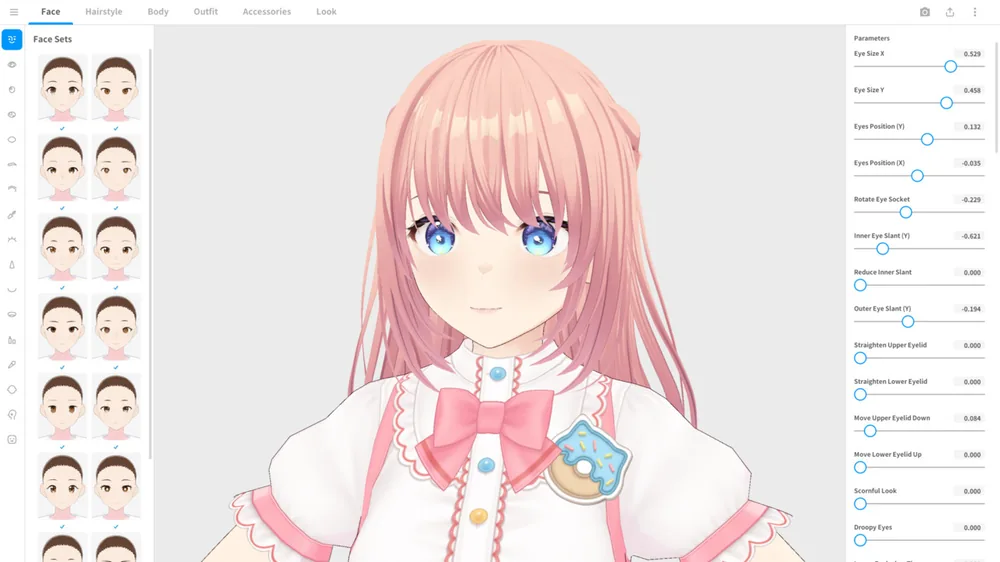
VRoid Studio by pixiv is a free app (Windows and macOS) for making 3D anime characters from sliders, presets and hair you shape by hand. It exports a VRM file, which free tracking apps such as VSeeFace (Windows) and Warudo (free for personal use) animate from your webcam. VRoid’s guidelines let you use the models you make for streaming and other commercial uses, unless a preset item’s license says otherwise.
Pros
- Free, with no drawing skills needed to start
- 3D, so the avatar can turn all the way around and use full-body tracking
- A large community, tutorials and paid clothing and hair on marketplaces
Cons
- Built from presets, so many VRoid avatars look alike unless you paint your own textures
- A 3D look, not the flat 2D anime look most VTubers use
- Hard to recreate an existing 2D character exactly
- Not usable in VTube Studio, which runs Live2D models only
3. Draw and rig a Live2D model yourself
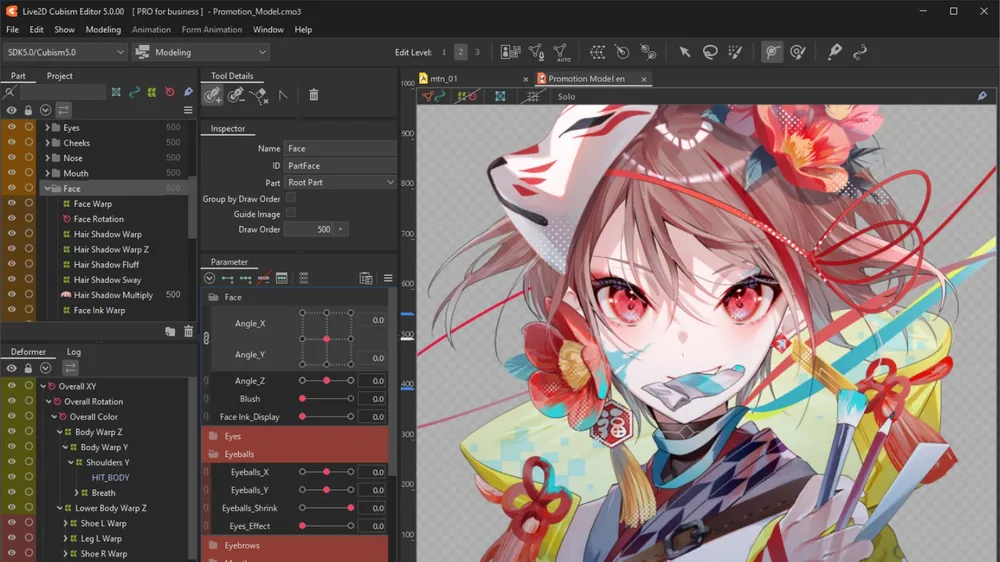
This is how most 2D VTuber models are made, by artists and riggers. You draw your character in a layered file (PSD) with every moving part on its own layer and the hidden parts filled in, import it into Live2D Cubism Editor, and rig it: deformers, parameters, physics, blink and mouth shapes. Then you load the model into VTube Studio, which is free on Steam and shows a watermark on webcam tracking unless you buy its watermark-removal add-on.
Cubism Editor has a free version and a paid PRO version. Cubism FREE allows at most 100 ArtMeshes, 30 parameters, 50 deformers and one texture up to 2048 px per model, and the file can’t be saved once you go over a limit. That is enough to learn on and for a simple model, but tight for a detailed one. Commercial use of the free version is allowed for individuals and small businesses with yearly sales under about $65,000. Cubism PRO for indie creators costs about $13 a month or $89 for the first year on Live2D’s store, which charges in yen, and there’s a 42-day PRO trial.
If you’d rather use open-source software, Inochi2D works the same way: Inochi Creator rigs the model and Inochi Session tracks you. Its source code is free (BSD 2-clause), ready-made builds are sold in early access, and its models don’t open in Live2D apps.
Pros
- Full control over every detail, and the model is completely yours
- The standard 2D format, supported by VTube Studio and other Live2D apps
- A skill you can sell: riggers are in demand
Cons
- Two skills to learn: drawing layered art (including the hidden parts) and rigging
- A first model usually takes weeks; a polished one takes much longer
- Detailed models outgrow the free version’s limits
4. Buy a pre-made model
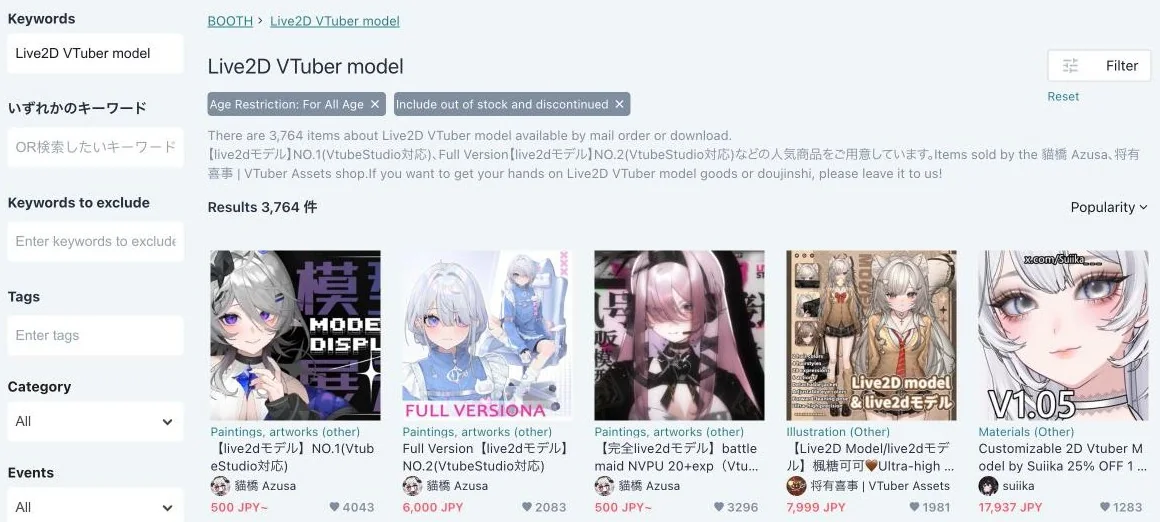
Artists sell ready-to-use Live2D models on marketplaces such as BOOTH and nizima. Many work in VTube Studio straight away. Most are shared models that anyone can buy: in the popular BOOTH listings we checked in November 2026, they mostly cost about $10 to $80. One-of-a-kind models, sold to a single buyer, cost far more: the newest ones on nizima were listed at roughly $400 to $1,600.
Pros
- Cheap, and ready to use as soon as you download it
- Professionally drawn and rigged, so you know what you get from the preview
Cons
- It isn’t your character, and other streamers can buy the same model unless you pay for a one-of-a-kind one
- Each listing has its own license: some forbid merchandise or certain commercial uses, so read it before you buy
- Changes (a new hair colour, your own outfit) need the artist or Live2D skills
5. Commission an artist and a rigger
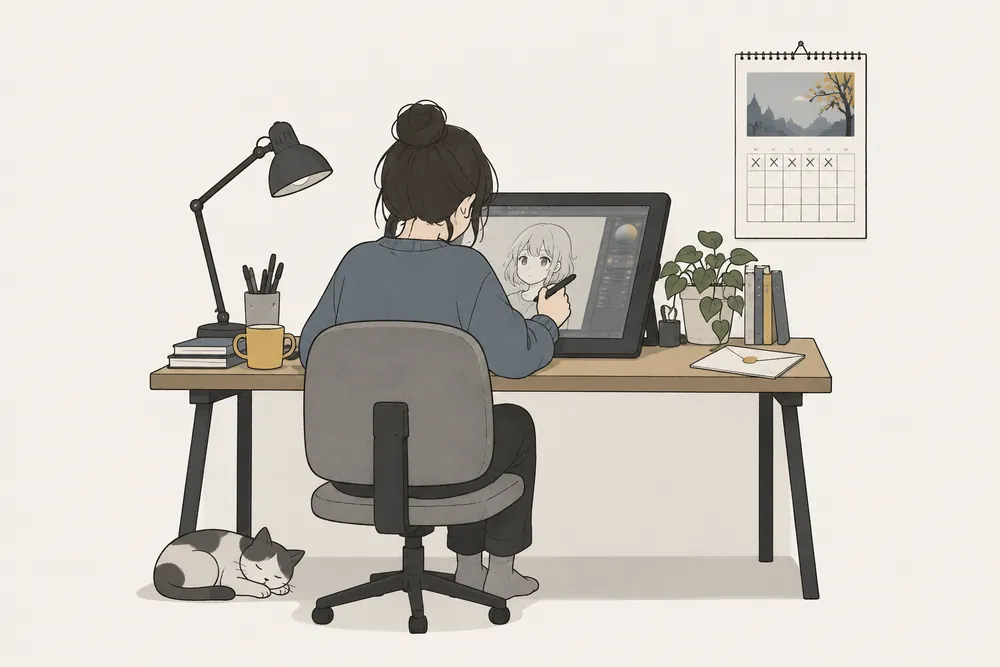
For a one-of-a-kind model, you hire an illustrator to draw your character in layers and a rigger to rig it. Sometimes one person or studio does both; often they are two people with two invoices and two waitlists. In 2026 public listings (artists’ price sheets, rigging services and marketplaces), art for a bust-up or half-body Live2D model typically costs $200–$1,500 and rigging $300–$2,500, so $500–$3,000+ in total, and the work takes 4–10 weeks once your slot opens. Top artists and studios charge more.
Pros
- A model designed around you, with the artist’s own style
- The highest ceiling: custom expressions, outfit toggles, props
- A person to talk to about every detail
Cons
- The most expensive way by far
- Waitlists and production time add up to months
- Extras cost more: source files (.cmo3), commercial-use fees, rush orders and revisions are often priced separately
- You need to vet the artist: check reviews, terms of service and who owns what
6. Use an AI VTuber model maker (Vtubify)
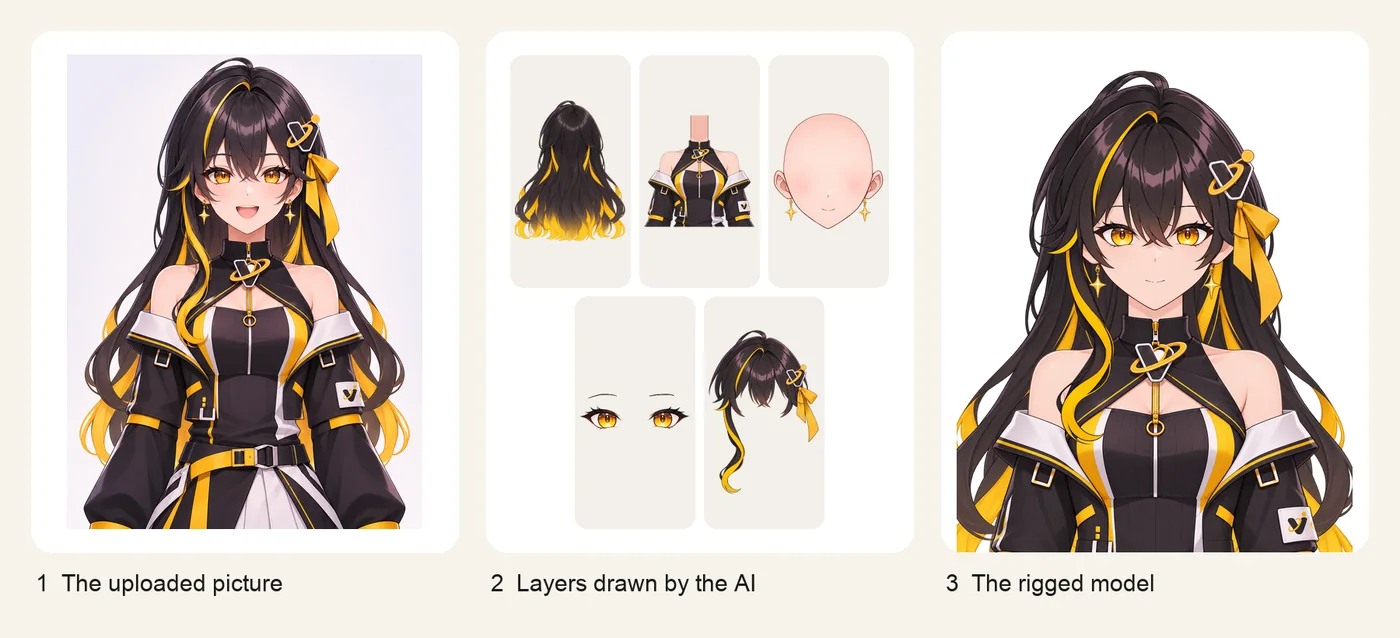
Vtubify is an AI VTuber model maker that turns one anime character image into a rigged, webcam-tracked VTuber model in about 30 minutes: it draws the layers and rigs the model for you. You upload a front-facing picture of your character. The AI redraws it in layers (hair, face, eyes, mouth, body), paints in the parts hidden behind them, rigs it the way studio Live2D models are rigged (blinks, smiles, a talking mouth, head turns, breathing, hair and body physics) and checks the motion before the model is delivered. You go live in your browser with webcam tracking, or download it and export a Live2D-compatible model (.moc3).
Pros
- Your own character from one picture, with no layered PSD, no drawing and no rigging on your part
- About 30 minutes instead of weeks, and you watch every step live
- From $29; going live, webcam tracking, downloads and Live2D export are free
- An AI chat editor for changes (“make her eyes green”), with undo for every step
Cons
- Portrait (bust-up) models only; half body and full body are coming soon
- Needs an anime-style picture with both eyes visible, and art you own or may use
- Fewer extras than a high-end commission: no custom outfit toggles or props yet
How to create a VTuber model with Vtubify, step by step
- Pick your picture. One clear, front-facing anime-style picture of your character showing the head and upper body, with both eyes visible and not covered by hair. Your own original character, art you made, or art you commissioned (check that your commission terms allow it).
- Upload it. Vtubify redraws the character in layers: hair, face, eyes, mouth and body are separated, and the parts hidden behind them are painted in at 2K.
- Watch it get rigged. The model gets blinks, smiles, a talking mouth, head turns, breathing, and hair and body physics, and every step is checked before it ships. The whole build takes about 30 minutes.
- Change anything by asking. Tell the AI editor what you want, such as a new hair colour or a cat mouth. Each change is a step you can undo.
- Go live or export. Stream from your desktop browser (Chrome or Edge) with your webcam, add the window to OBS, or download the model and export Live2D (.moc3) for the Live2D apps you already use.
Which way should you choose?
- You want to try VTubing this week for free: start as a PNGTuber, or make a VRoid avatar if you want tracking.
- You love 3D, or want full-body tracking: VRoid Studio with VSeeFace or Warudo.
- You draw and want to learn a skill: draw and rig your own model in Live2D Cubism (start with the free version and the 42-day PRO trial).
- You want to start today and don’t mind sharing a design: buy a pre-made model and read its license.
- You want a one-of-a-kind model and have the budget: commission an artist and a rigger, and book early.
- You already have a picture of your character and want it moving today: use an AI VTuber model maker like Vtubify.
Many VTubers combine these: they debut with a PNGTuber or an AI-made model and commission a high-end model later, once they know their character and their audience.
Questions people ask
Can I make a VTuber model for free?
Yes. A PNGTuber made with veadotube mini, a 3D avatar made in VRoid Studio and used in VSeeFace or Warudo, and a Live2D model rigged in Cubism Editor FREE and used in VTube Studio cost nothing in software. What they cost is time and skill: you design or draw the art yourself, and for Live2D you also learn rigging.
How much does a VTuber model cost?
From $0 to several thousand dollars. Free tools cost only your time, pre-made Live2D models on BOOTH and nizima often sell for about $10 to $80, and a commissioned Live2D model with art and rigging typically costs $500–$3,000+ in 2026 public listings. Vtubify, an AI VTuber model maker, starts from $29 per model.
How long does it take to make a VTuber model?
It depends on the way. A PNGTuber or a VRoid avatar can be ready in an afternoon, a pre-made model in minutes, a self-made Live2D model usually takes weeks for a first try, and a commission typically takes 4–10 weeks after the artist's waitlist. Vtubify builds a rigged model from one image in about 30 minutes.
What is the easiest way to create a VTuber model?
If you already have a picture of your character, an AI VTuber model maker is the easiest: you upload one image and it draws the layers and rigs the model for you. If you have no character yet, VRoid Studio lets you build a 3D avatar from sliders and presets without drawing.
Do I need to know how to draw or rig to become a VTuber?
No. VRoid Studio, pre-made models, a commission and an AI VTuber maker like Vtubify all work without drawing or rigging skills. Only the do-it-yourself Live2D route needs both: a layered drawing of every moving part, and rigging in Live2D Cubism.
Sources
- Live2D Cubism, FREE vs PRO comparison
- Live2D Store, Cubism PRO prices
- VTube Studio on Steam
- veadotube mini on itch.io
- VRoid Studio guidelines
- Warudo on Steam
- VSeeFace
- Inochi Creator on Steam
- VIVERSE, VTuber model pricing 2026
Prices and limits checked November 17, 2026. They change: check the official pages before you buy.